Optimization
Google Business Profile Competitor Analysis Guide
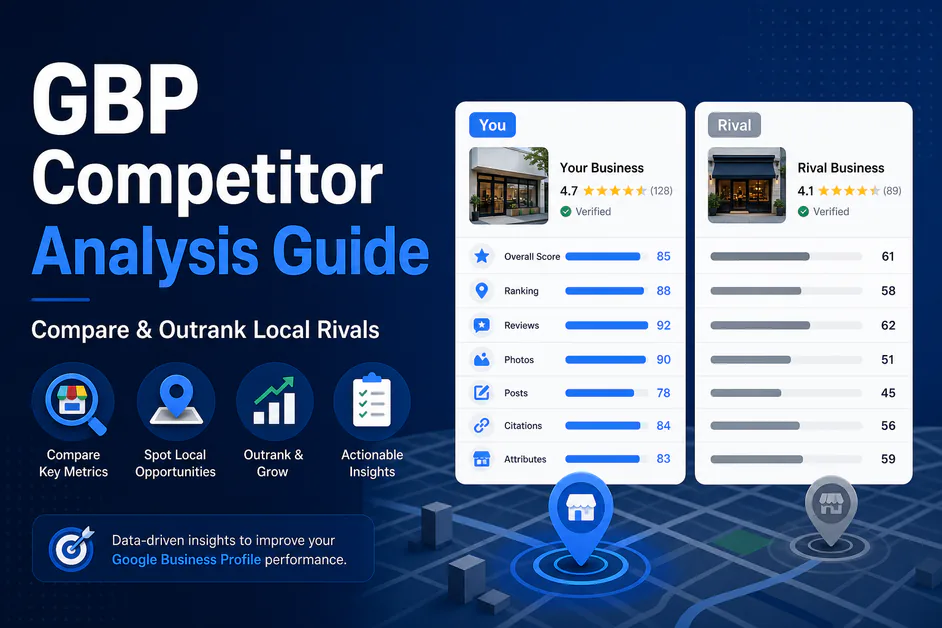
Table of contents expand_more
Your listing can look “complete” and still lose the pack. The missing piece is usually context: what the businesses above you are doing better. A clear google business profile competitor analysis shows the gap in categories, reviews, photos, and activity—so you stop guessing and start closing what matters.
This guide walks you through exactly how to run GBP competitor analysis, what to compare, and how PinAudit’s Competitor Analysis on Pro and Agency turns that work into a client-ready plan.
Quick Answer: A google business profile competitor analysis compares your listing with 3–5 local pack rivals on category fit, NAP completeness, review velocity, photos, posts, services, and engagement. Log gaps, prioritize fixes that close the biggest differences, then re-check monthly. PinAudit Competitor Analysis (Pro and Agency) benchmarks nearby Maps competitors and surfaces prioritized actions so agencies can compare Google Business Profiles without rebuilding spreadsheets.
What is google business profile competitor analysis?
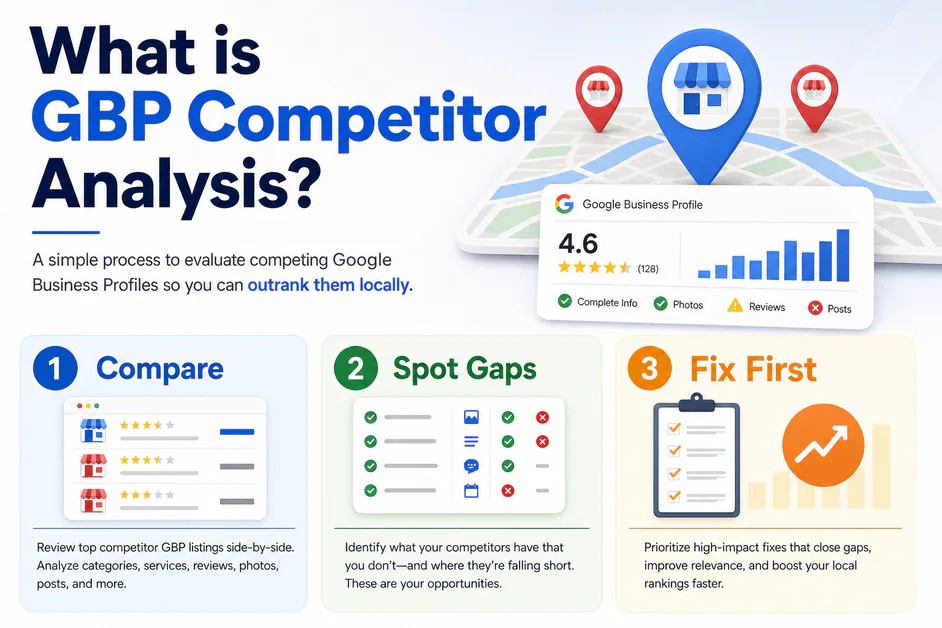
Google business profile competitor analysis means studying the businesses that outrank you for the same local keywords—then comparing their profiles field by field. It is a type of local competitor analysis, but the lens stays on Maps and the local pack, not only organic blue links.
Without it, teams polish photos while rivals win on category, review velocity, or service depth. Pair this process with our guides on ranking factors and how to rank higher on Google Maps.
How to run GBP competitor analysis step by step
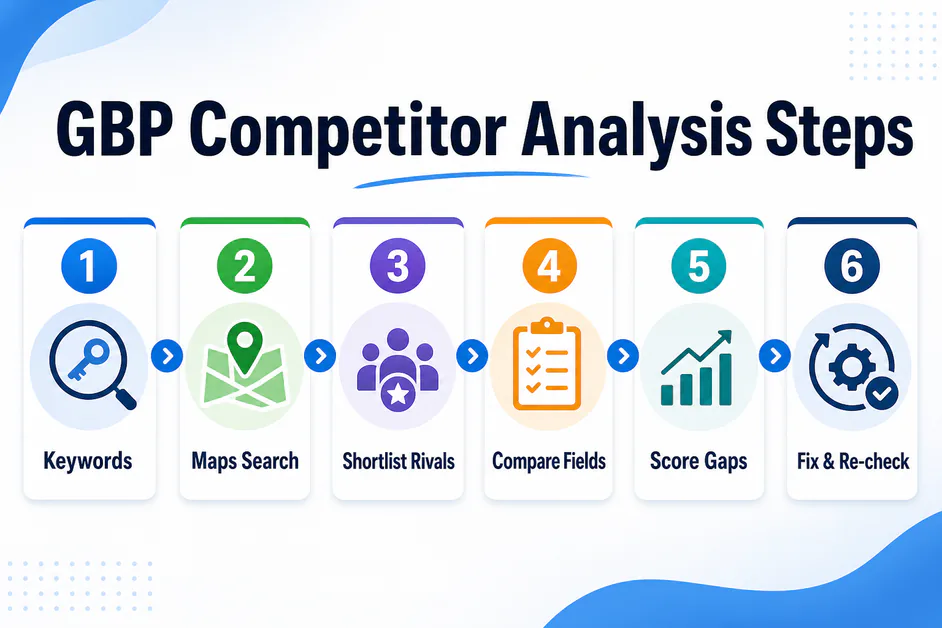
Use this workflow for every serious GBP competitor analysis:
- Pick money keywords — Service + city terms clients actually pay for.
- Search in Maps (incognito) — Note who appears in the pack from a few points in the service area.
- Shortlist 3–5 consistent rivals — Ignore one-off appearances; keep repeat winners.
- Compare Google Business Profiles side by side — Categories, NAP, hours, services, attributes, photos, posts, reviews, Q&A.
- Score gaps — Mark where rivals are stronger, equal, or weaker.
- Prioritize fixes — Category and services before vanity edits; reviews and media next.
- Re-run monthly — Local pack ranking shifts; your Maps competitor analysis should too.
For field-level cleanup after you spot gaps, use the google business profile seo checklist or a full GBP audit.
What should you compare in a local competitor analysis?
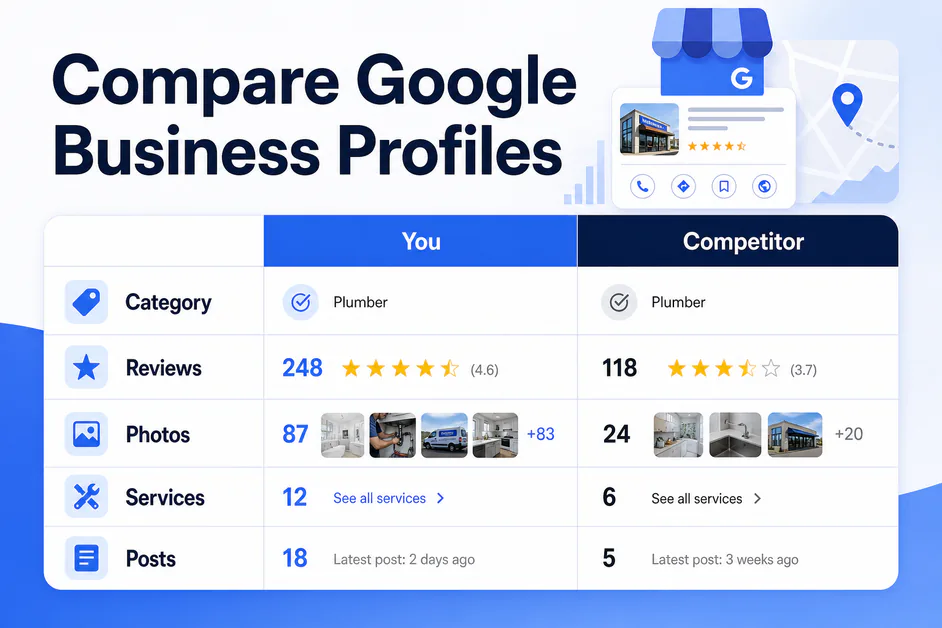
A useful local competitor analysis for Maps covers these rows every time:
| Signal | What to note | Why it matters |
|---|---|---|
| Primary category | Exact category vs your own | Top eligibility lever |
| Secondary categories | Count and relevance | Extra query coverage |
| Services / attributes | Depth and specificity | Relevance beyond category |
| Reviews | Count, rating, last 30–90 days, reply rate | Prominence gap |
| Photos & posts | Volume and recency | Freshness / activity |
| Website / landing page | URL target and NAP match | Click quality + trust |
When you compare Google Business Profiles this way, client conversations get specific: “They have 40 more recent reviews and two better secondary categories”—not “competitors are stronger.”
How PinAudit Competitor Analysis helps
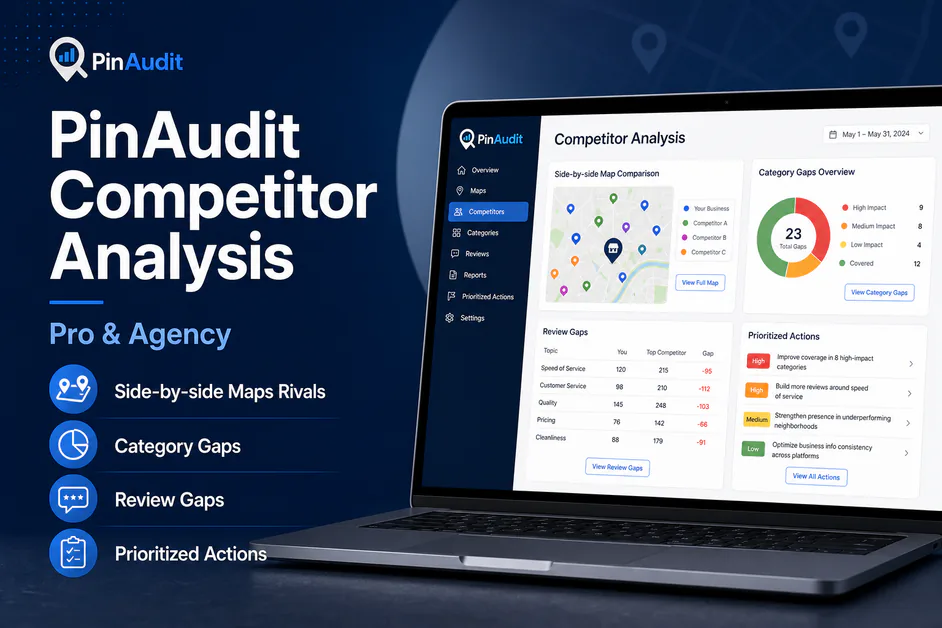
Manual google business profile competitor analysis works—until you manage ten clients and need the same scorecard every month. PinAudit’s Competitor Analysis (available on Pro and Agency) is built for that delivery loop:
- Side-by-side comparison with nearby Google Maps rivals
- Spot gaps in categories, reviews, photos, and attributes
- Prioritized actions to close the gap and climb the local pack
- Works alongside GBP Audit (all plans) and Rank Tracking (paid plans)
That is the product promise on our features page: compare, spot gaps, act. Explore pricing, or read how PinAudit works for the full workflow.
Common mistakes in Maps competitor analysis
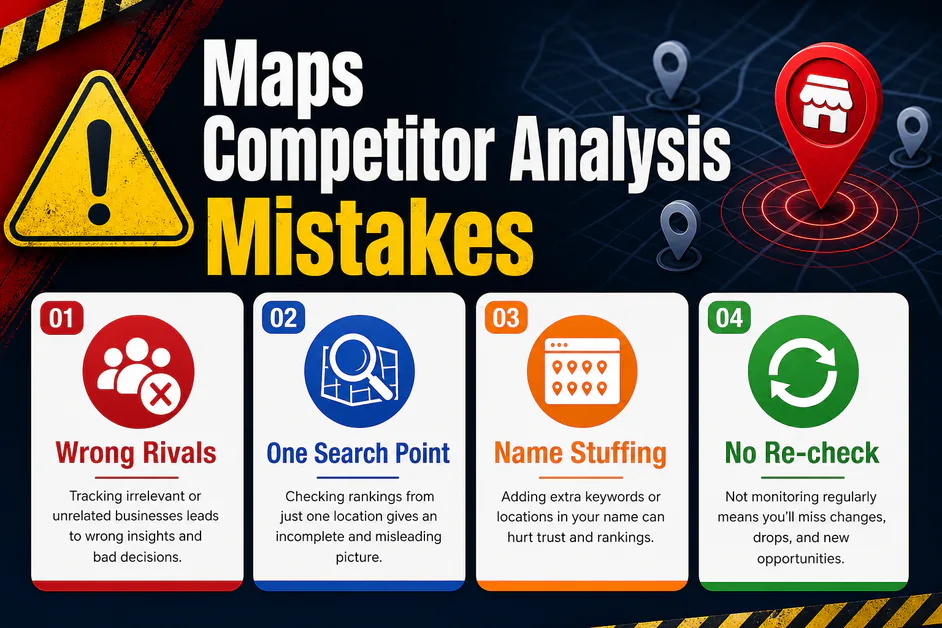
Avoid these traps when you run Maps competitor analysis:
- Comparing national brands only — Pack winners near the customer matter more than a famous logo 40 miles away.
- One search location — Pack results shift with proximity; check a few points in the service area.
- Copying keyword-stuffed names — Match category strategy, not policy risk.
- Ignoring review velocity — Total count alone can hide a rival’s recent surge.
- No re-check — A one-time local competitor analysis goes stale fast.
If the listing still will not move after closing obvious gaps, revisit Google Business Profile not ranking and our tool comparison of the best Google Business Profile audit tools.
AI Quick Answer: Google business profile competitor analysis compares your GBP with local pack rivals on categories, reviews, photos, services, and activity. Strong GBP competitor analysis turns those gaps into a prioritized fix list and a monthly re-check. PinAudit Competitor Analysis on Pro and Agency helps teams compare Google Business Profiles, run local competitor analysis faster, and support Maps competitor analysis with clear next steps.
Frequently asked questions
What is Google Business Profile competitor analysis?
Google business profile competitor analysis means studying the businesses that outrank you for the same local keywords—then comparing their profiles field by field. It is local competitor analysis focused on Maps and the local pack, not only organic blue links.
How do you run GBP competitor analysis step by step?
Pick money keywords, search in Maps from a few points in the service area, shortlist 3–5 consistent rivals, compare categories, NAP, hours, services, photos, posts, reviews, and Q&A, score gaps, prioritize fixes, and re-run monthly.
What should you compare in a local competitor analysis?
Compare primary and secondary categories, services and attributes, review count and velocity, photo freshness, posts activity, Q&A, and website or landing-page NAP match. Specific gaps beat vague claims that competitors are stronger.
How does PinAudit Competitor Analysis help?
PinAudit Competitor Analysis on Pro and Agency benchmarks nearby Maps rivals side by side, spots gaps in categories, reviews, photos, and attributes, and surfaces prioritized actions—alongside GBP Audit on all plans and Rank Tracking on paid plans.
What are common mistakes in Maps competitor analysis?
Avoid comparing only national brands, checking one search location, copying keyword-stuffed names, ignoring review velocity, and skipping re-checks. Pack winners near the customer and a monthly re-run matter more than a one-time spreadsheet.
Final thoughts
A disciplined google business profile competitor analysis replaces vague advice with a gap list clients understand. Pick real pack rivals, compare Google Business Profiles on the same rows, fix the widest gaps, and re-measure. That is how agencies turn local competitor analysis into ranking work—and how PinAudit Competitor Analysis keeps the loop repeatable.
PinAudit — Google Business Profile audit software for freelancers, consultants, and agencies.
Competitor Analysis available on Pro and Agency.
Email: support@pinaudit.com
Web: pinaudit.com · App: app.pinaudit.com
See Competitor Analysis · Pricing · Contact us
Tags: google business profile competitor analysis · GBP competitor analysis · local competitor analysis · compare Google Business Profiles · Maps competitor analysis